How to Delete an Obscura Account
If you wish to permanently delete your Obscura account and cancel your subscription, simply follow these steps.
-
Open the Obscura app
-
Navigate to the Account tab in the app
-
Select the red Delete Account button at the bottom of the page
-
When the confirmation dialogue appears, select the red Delete Account button again
How Deletion Affects Payments Methods
Section titled “How Deletion Affects Payments Methods”Top-Ups
Section titled “Top-Ups”Any funds added to your account through top-up will be removed along with your account.
Stripe Subscriptions
Section titled “Stripe Subscriptions”Your stripe subscription will be canceled automatically when your account is deleted, so you won’t be charged for unused time.
App Store Subscriptions
Section titled “App Store Subscriptions”Apple requires that subscriptions purchased via Apple’s App Store are canceled manually, even after account deletion. See the Canceling App Store Subscription From the iOS App section for instructions.
Canceling App Store Subscription From the iOS App
Section titled “Canceling App Store Subscription From the iOS App”To cancel your subscription outside of the iOS app, view Apple’s subscription cancelation guide.
-
Open the Obscura app
-
Navigate to the Account tab
-
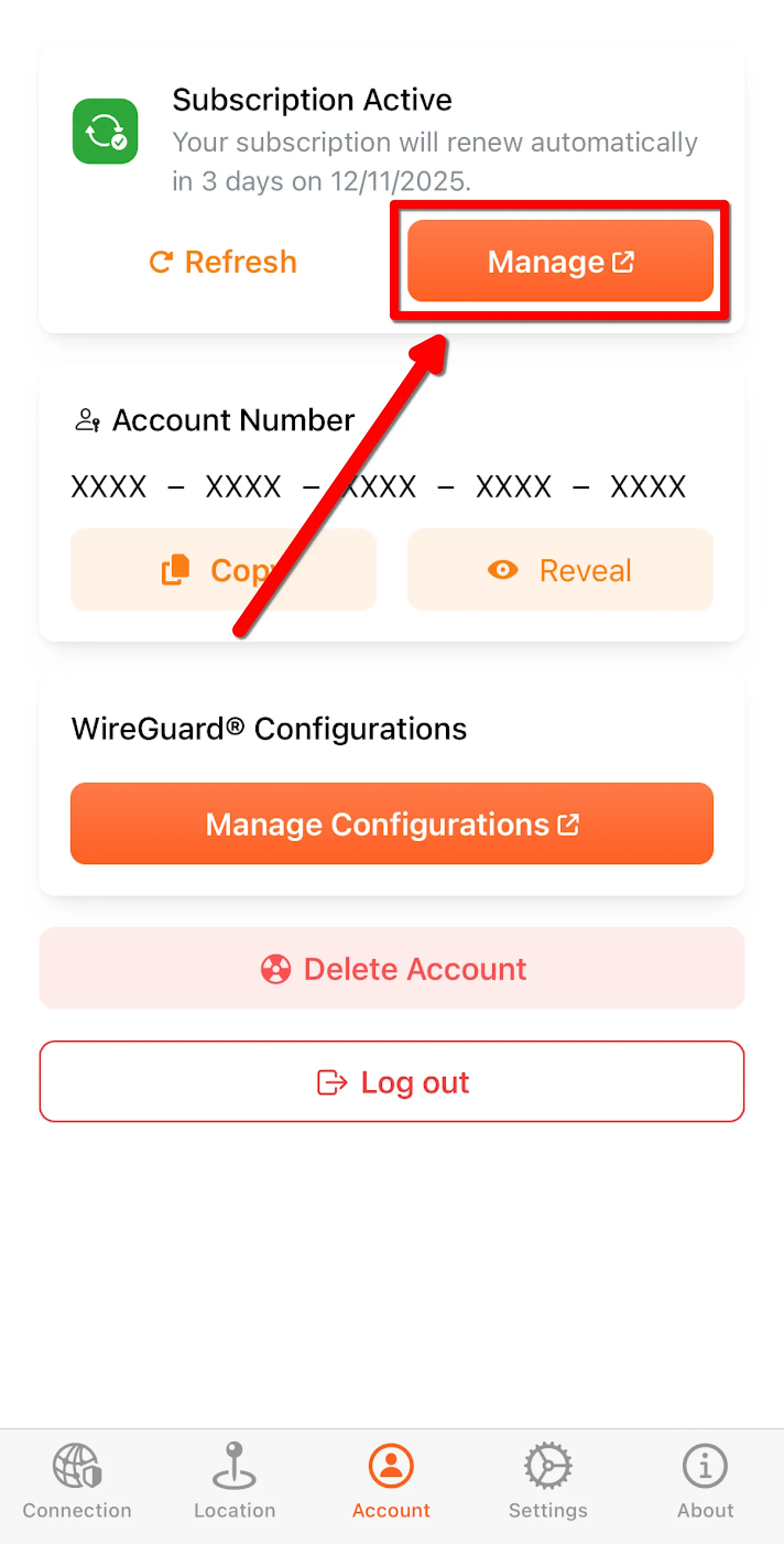
Tap the orange Manage button under Subscription Active.
-
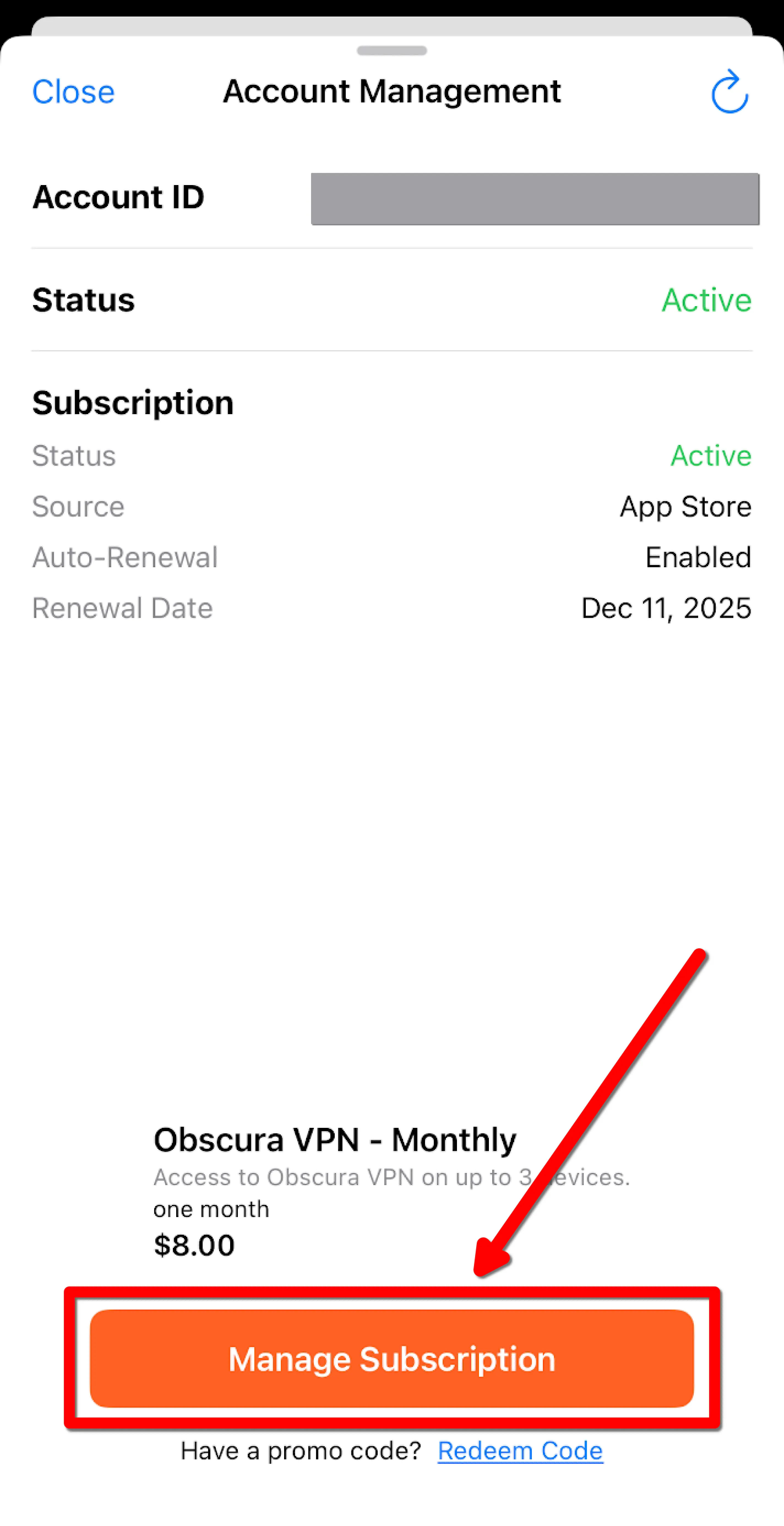
Tap the orange Manage Subscription button at the bottom of the page
-
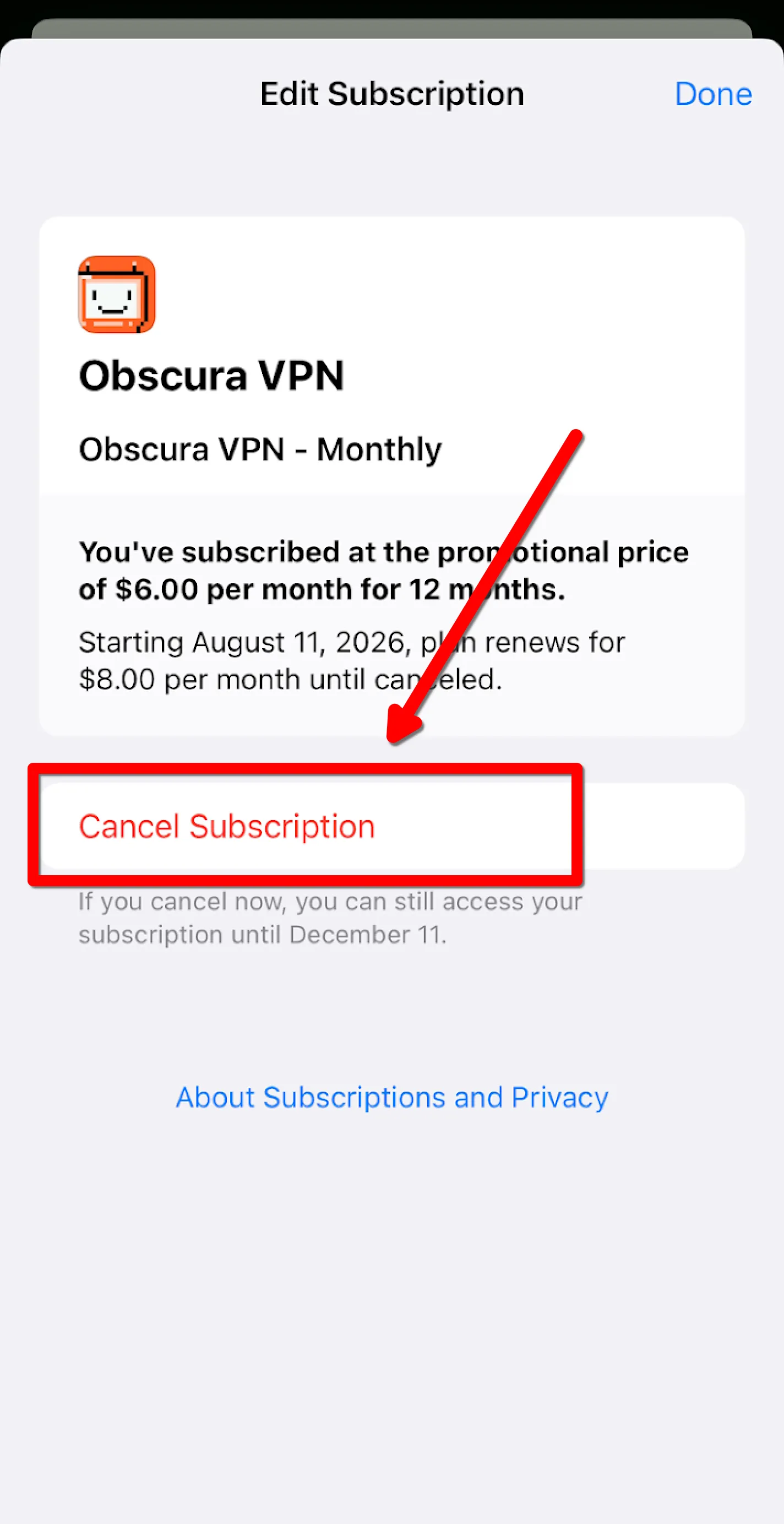
Tap the Cancel Subscription button